There are two ways to include line item requirements in the project Brief.
1. On Platform Pricing Table
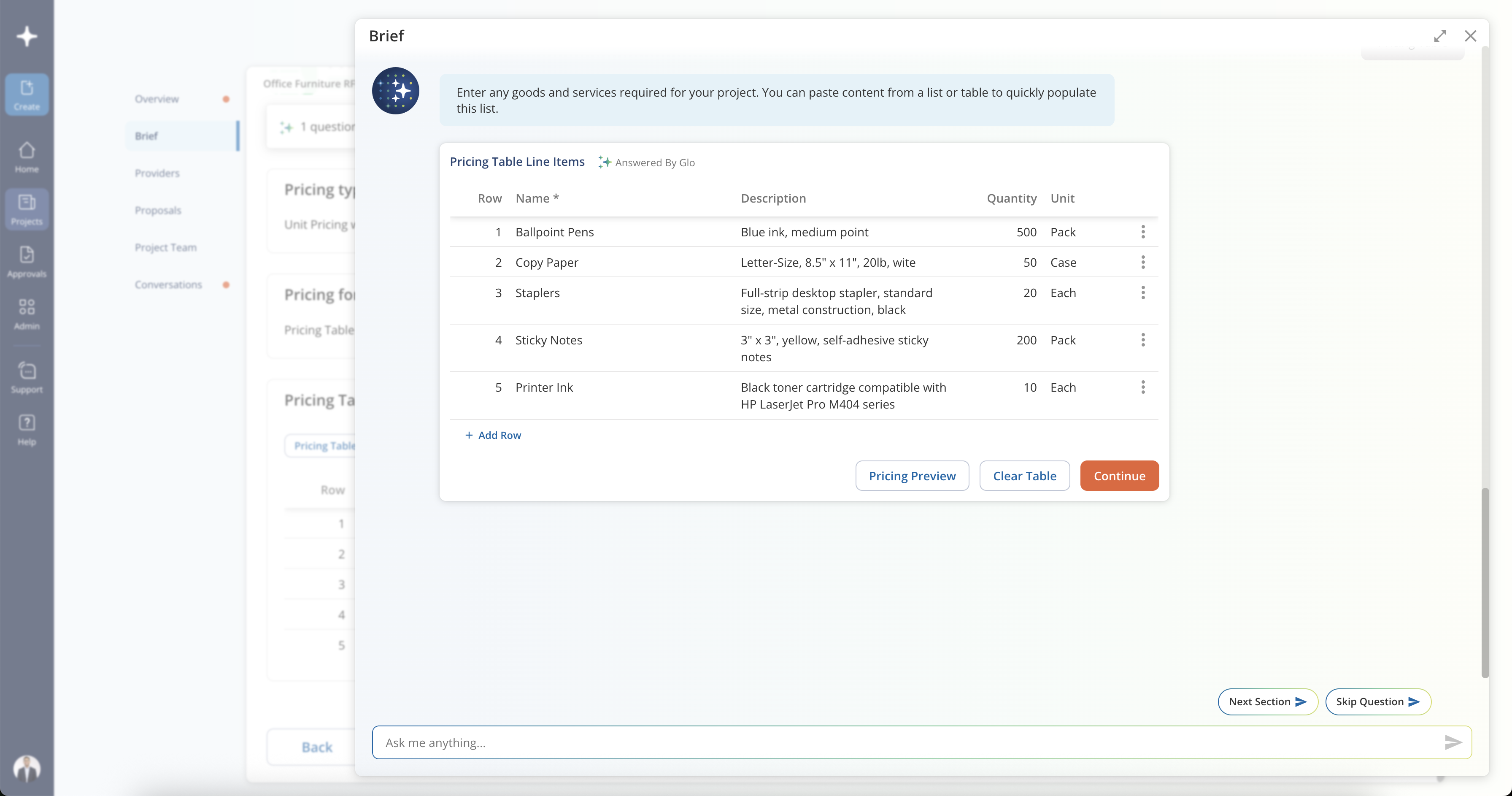
If you have an itemized list as part of your project requirements, you can specify these as Line Items within your Brief. Select Pricing Table in the Pricing Format question.
Glo will automatically attempt to extract any line items detected from your uploaded file(s) in Project Details. You may also copy and paste rows into the table, or manually add line items by entering a name, description, quantity, and unit of measure for each item.
2. File-based Pricing Template
Select the "File-based Pricing Template" in the Pricing Requirements module and enter line items within the file-based pricing template.
Was this article helpful?
That’s Great!
Thank you for your feedback
Sorry! We couldn't be helpful
Thank you for your feedback
Feedback sent
We appreciate your effort and will try to fix the article