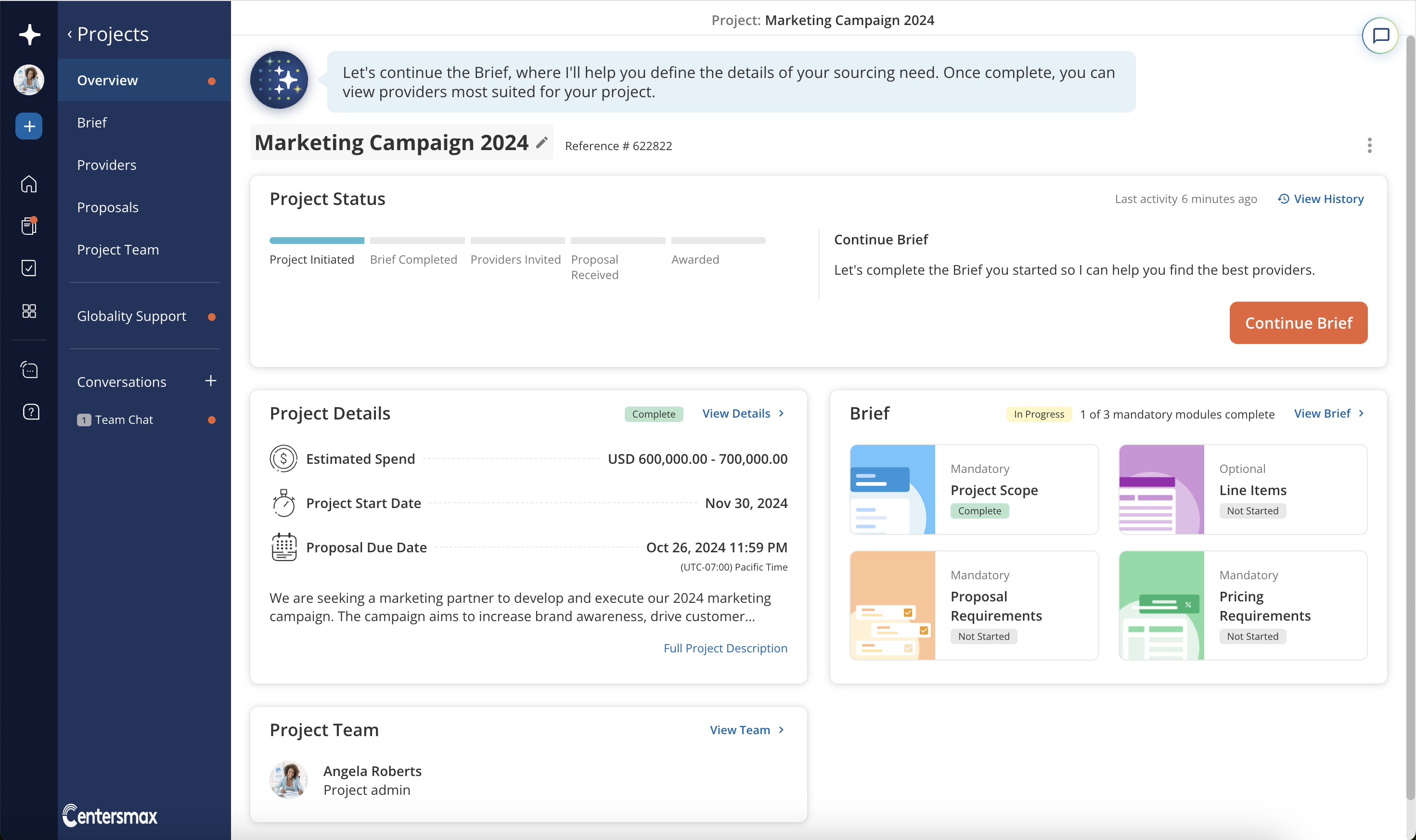
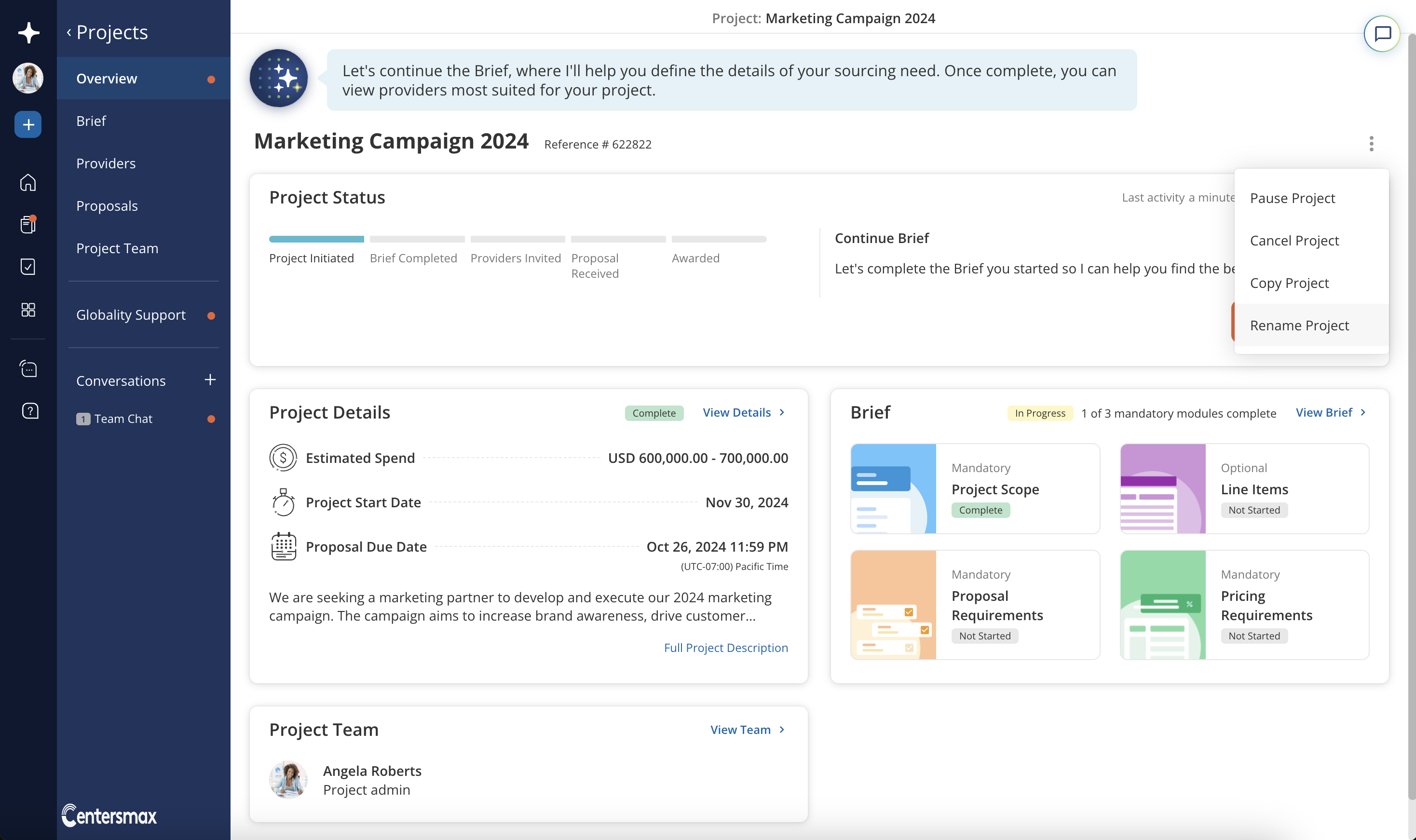
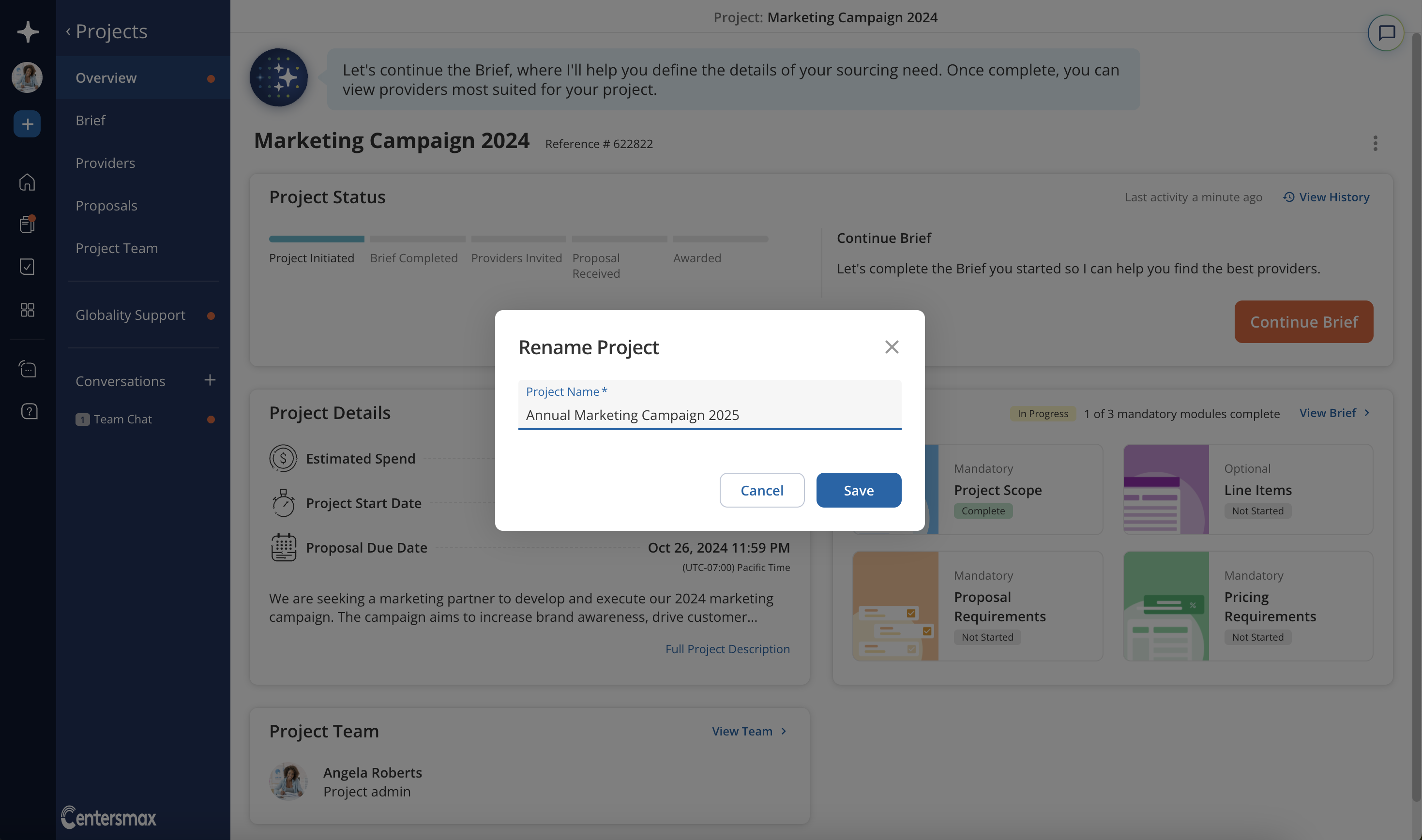
You may change the project's name at any time directly from the Project Overview page. Hovering over the project name in the Project Overview will expose a pencil icon that you can click to edit the project name. Alternatively, you can click on the dropdown menu in the Project Overview and select "Rename Project". In the window that pops up, you may rename your project and save the change.
Was this article helpful?
That’s Great!
Thank you for your feedback
Sorry! We couldn't be helpful
Thank you for your feedback
Feedback sent
We appreciate your effort and will try to fix the article