Yes. The Projects page gives you a complete view of all your projects and enables you to search, filter, and sort them to quickly orient yourself on each project's phase so you can take key actions.
Start by clicking on the "Projects” tab in the main menu.
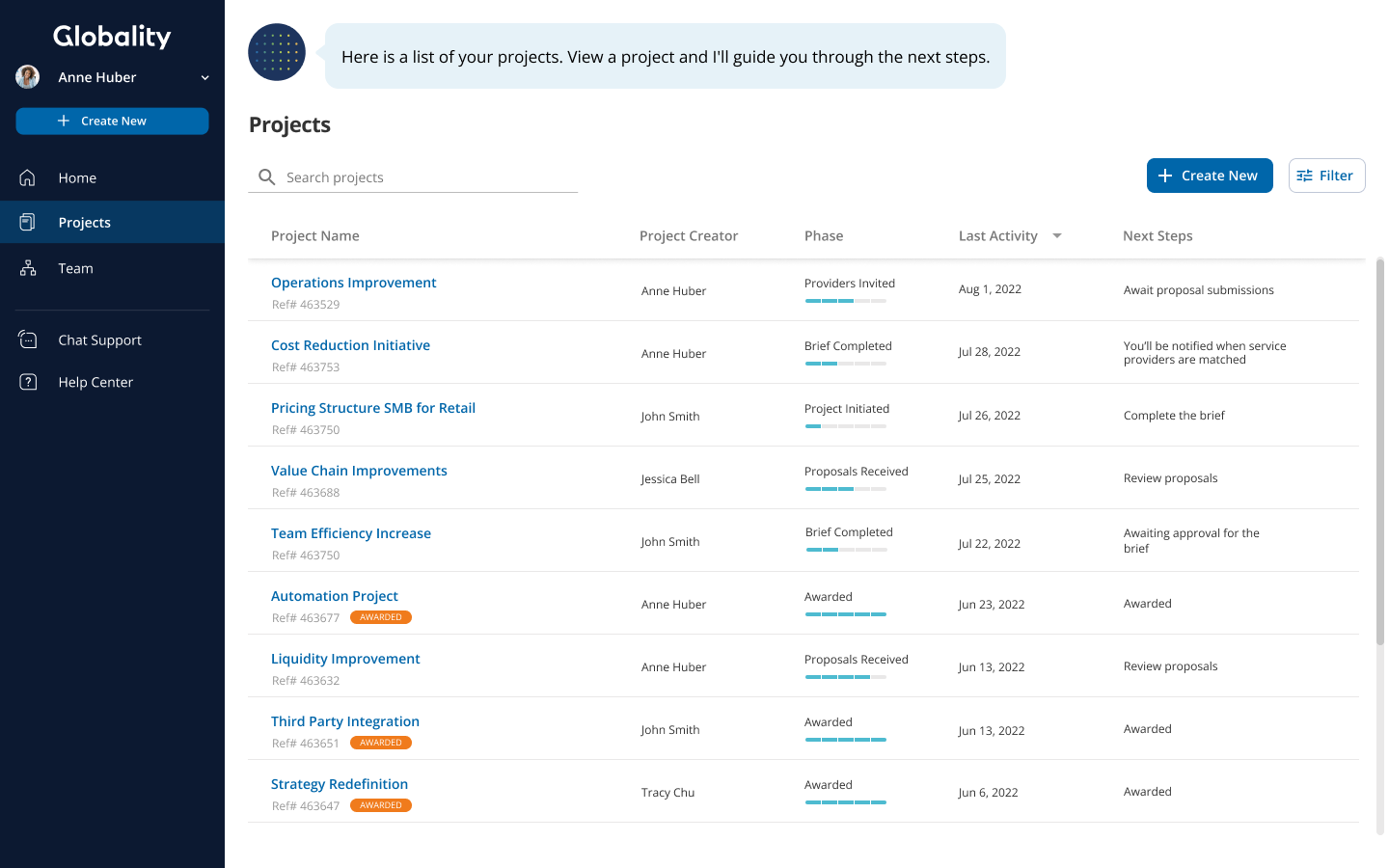
Once you are on the Projects page, you can do the following:
- View a list of projects that you have access to (organized by most recent activity)
- Organize the list in ascending or descending order by project name, project creator, phase, or last activity
- Hover to view the phases of a specific project
- Search for a project by name
- Filter by project creator, phase, status, organizational data (e.g. commodity code, cost center, region, organizational unit), new activity, and/or show only projects you create
- Save a default filter view, only visible to you
- Link to each project to take the next steps
- Create a new project
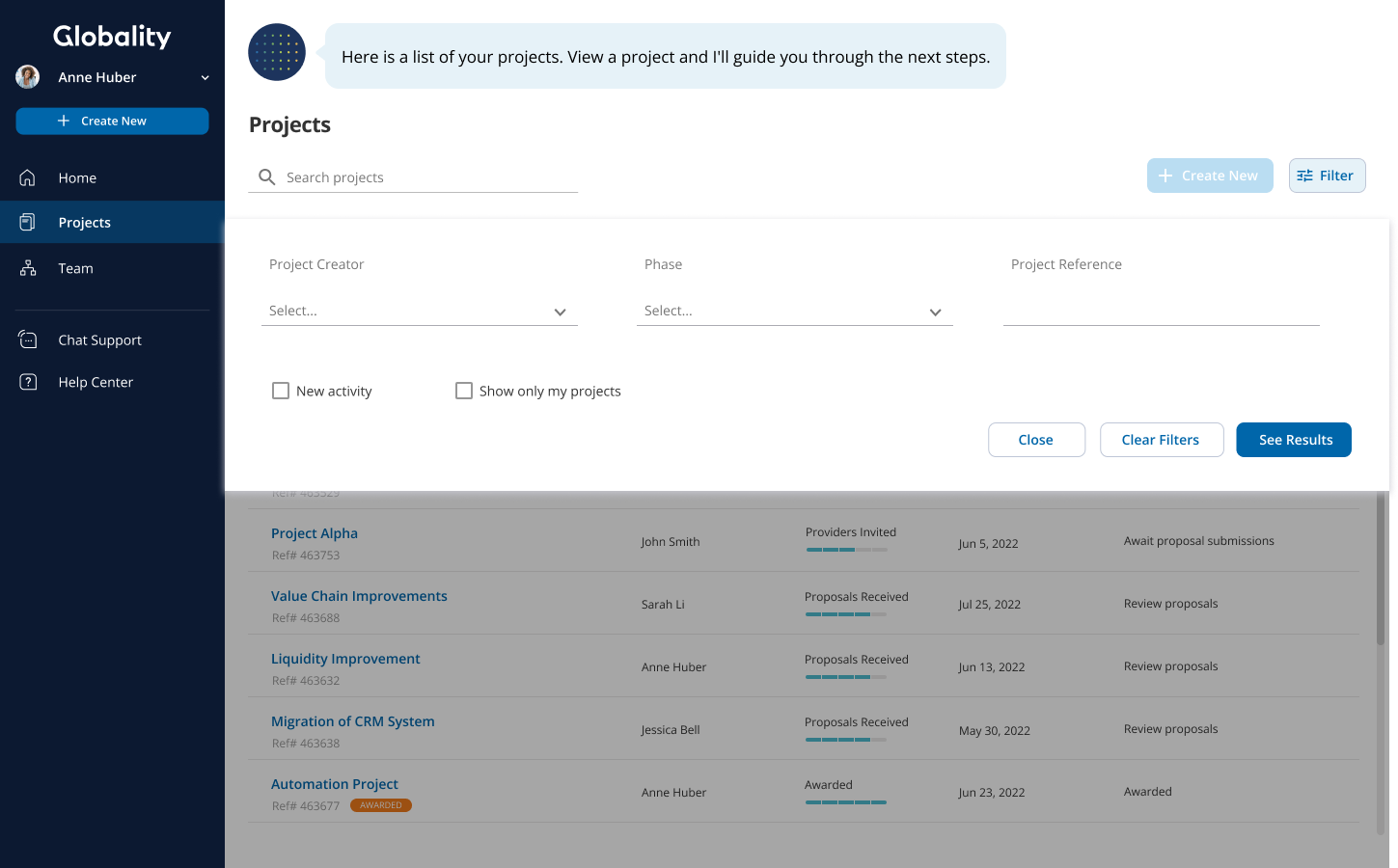
Take a quick look at how you can easily manage your projects so you can quickly take strategic action.
Was this article helpful?
That’s Great!
Thank you for your feedback
Sorry! We couldn't be helpful
Thank you for your feedback
Feedback sent
We appreciate your effort and will try to fix the article