Approval requests are created when an action, such as provider invitation or award, requires one or more approvals before it can be completed successfully.
You can view all past or current approval requests related to your projects.
1. Navigate to “Approvals” in the navigation panel.
2. Click on the “Requests” tab to view your projects’ approval requests.
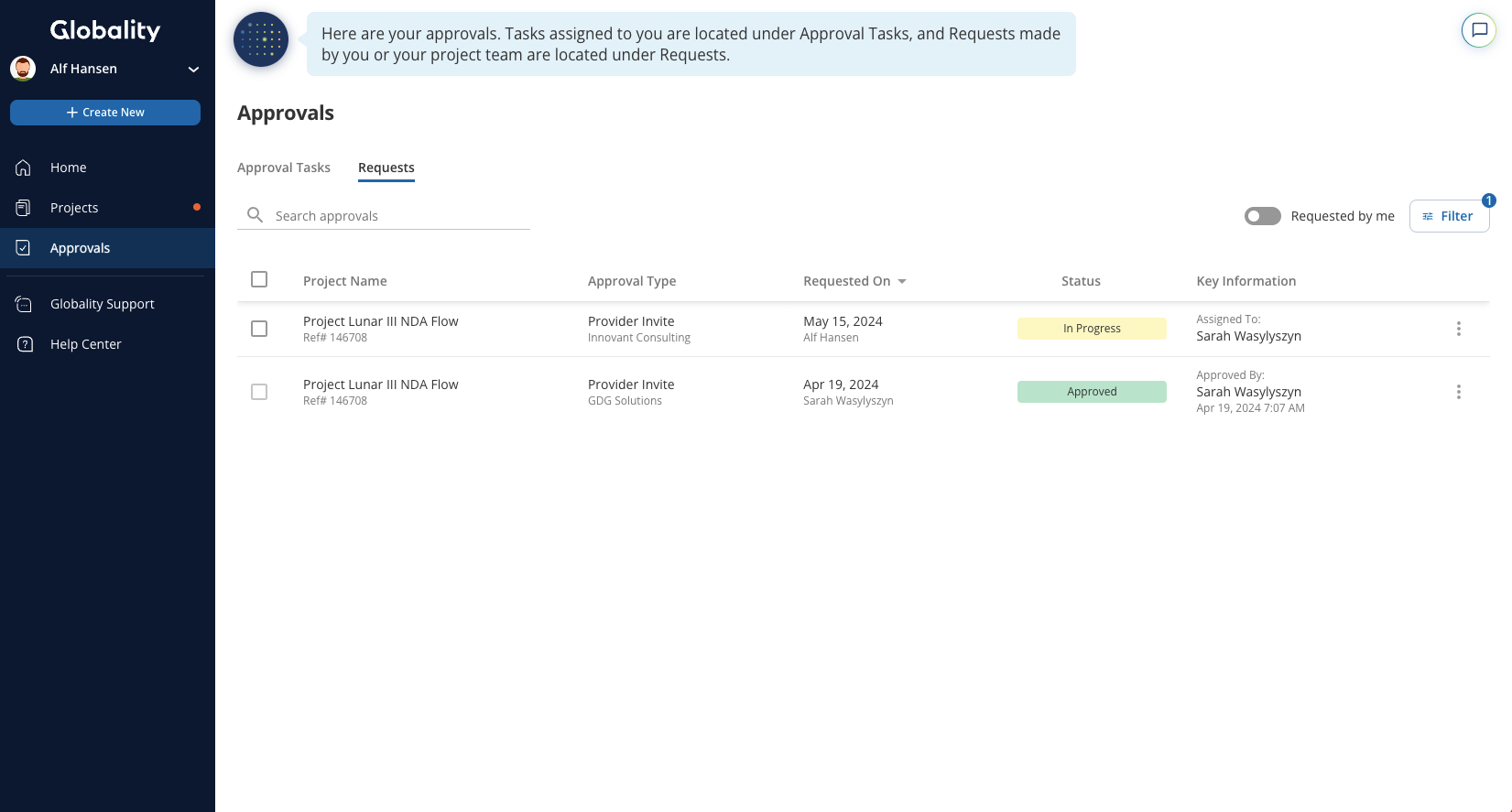
3. Click on an approval request to view pending and completed approval tasks in a side panel.
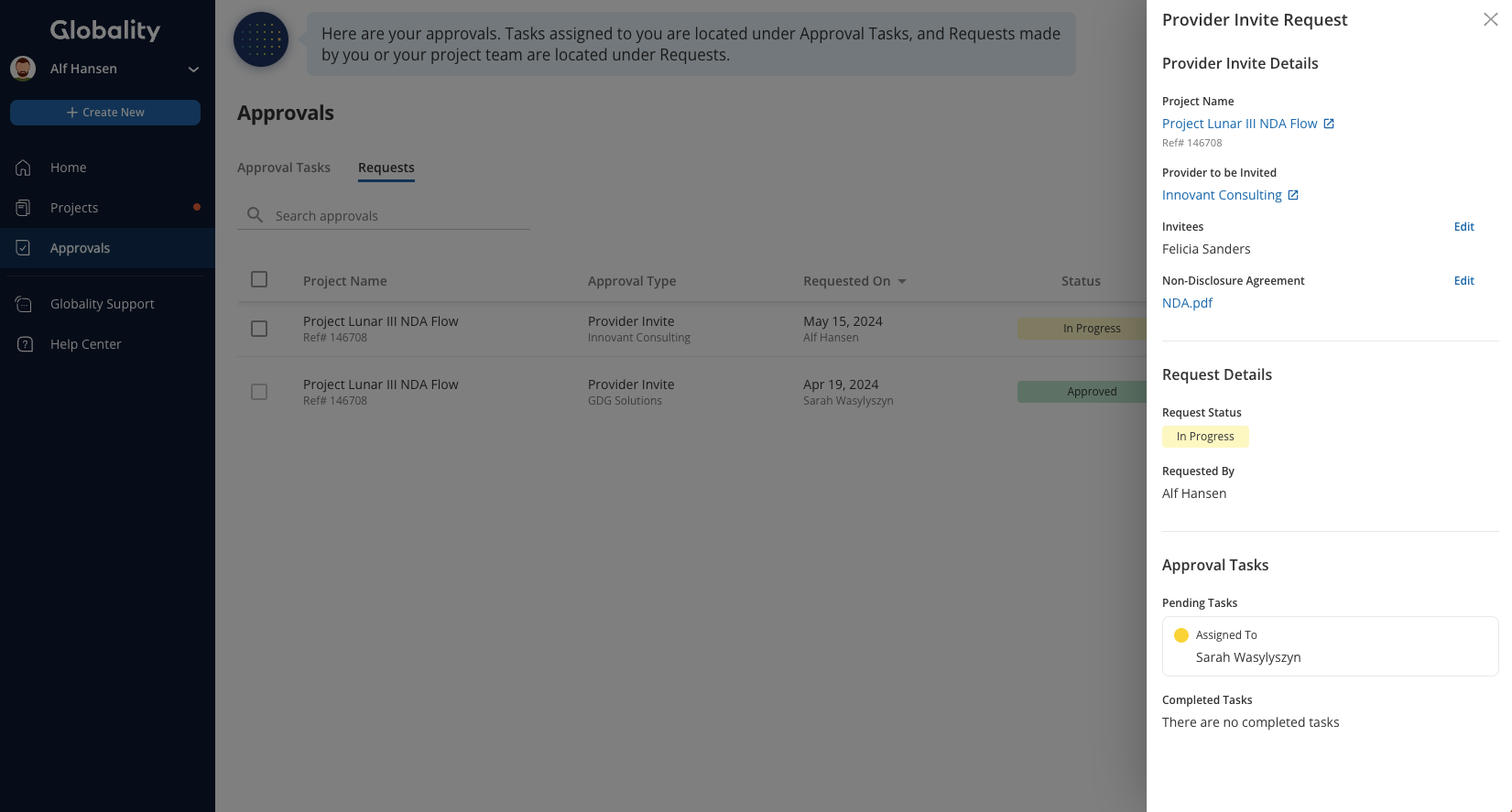
Common actions:
- Filter by “Requested by me” to view only requests created by you.
- Filter by any of the following attributes.
- Project name
- Status
- Requested by
- Approval request type
- Assigned to
- Active projects only
- Sort by any of the columns in the table.
- Search by project name.
Was this article helpful?
That’s Great!
Thank you for your feedback
Sorry! We couldn't be helpful
Thank you for your feedback
Feedback sent
We appreciate your effort and will try to fix the article