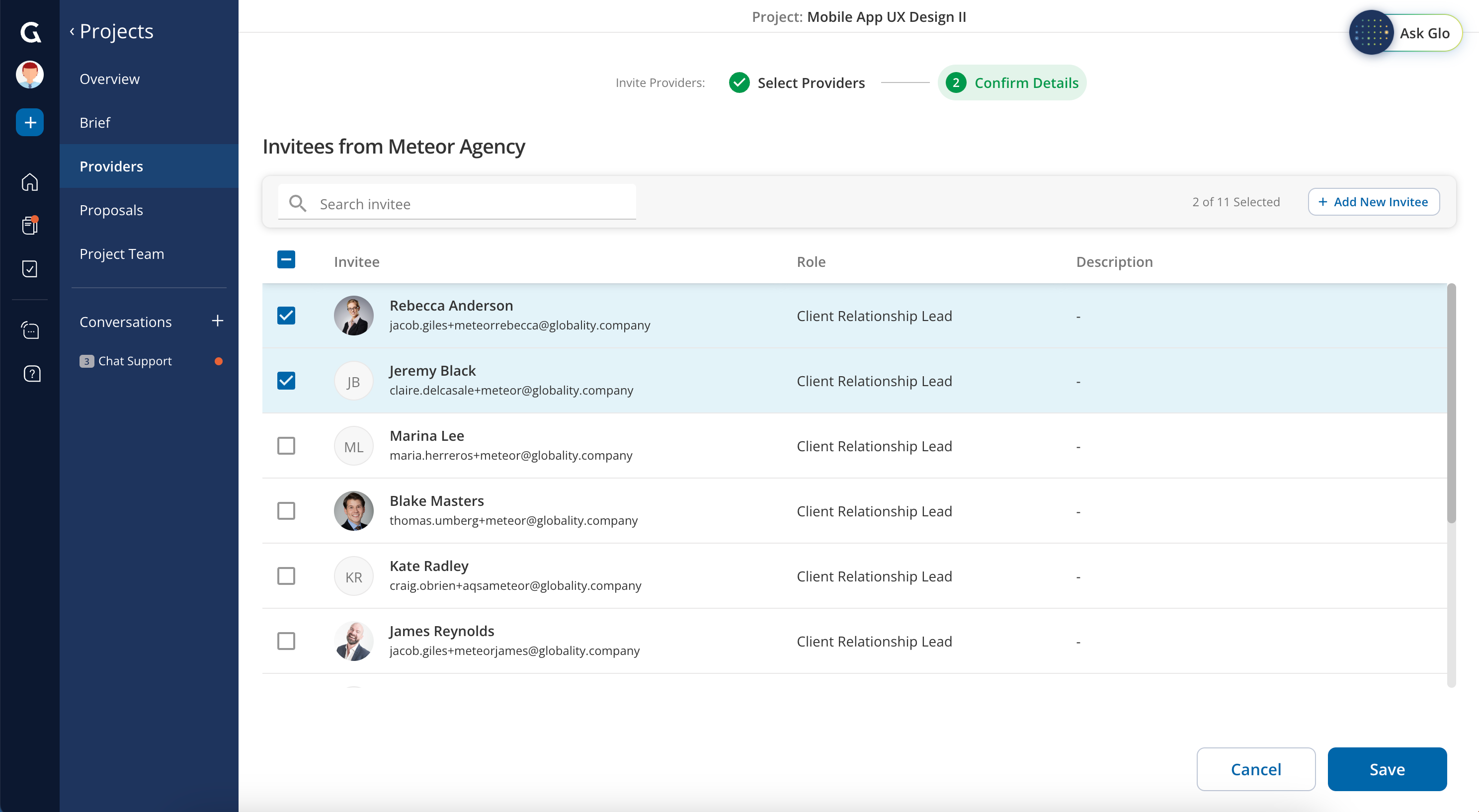
Yes. When inviting providers to your project, you can review and confirm invitation details such as the provider invitees. Invitees will default based on pre-established client relationship leads. Simply select or un-select the provider contacts from the list.
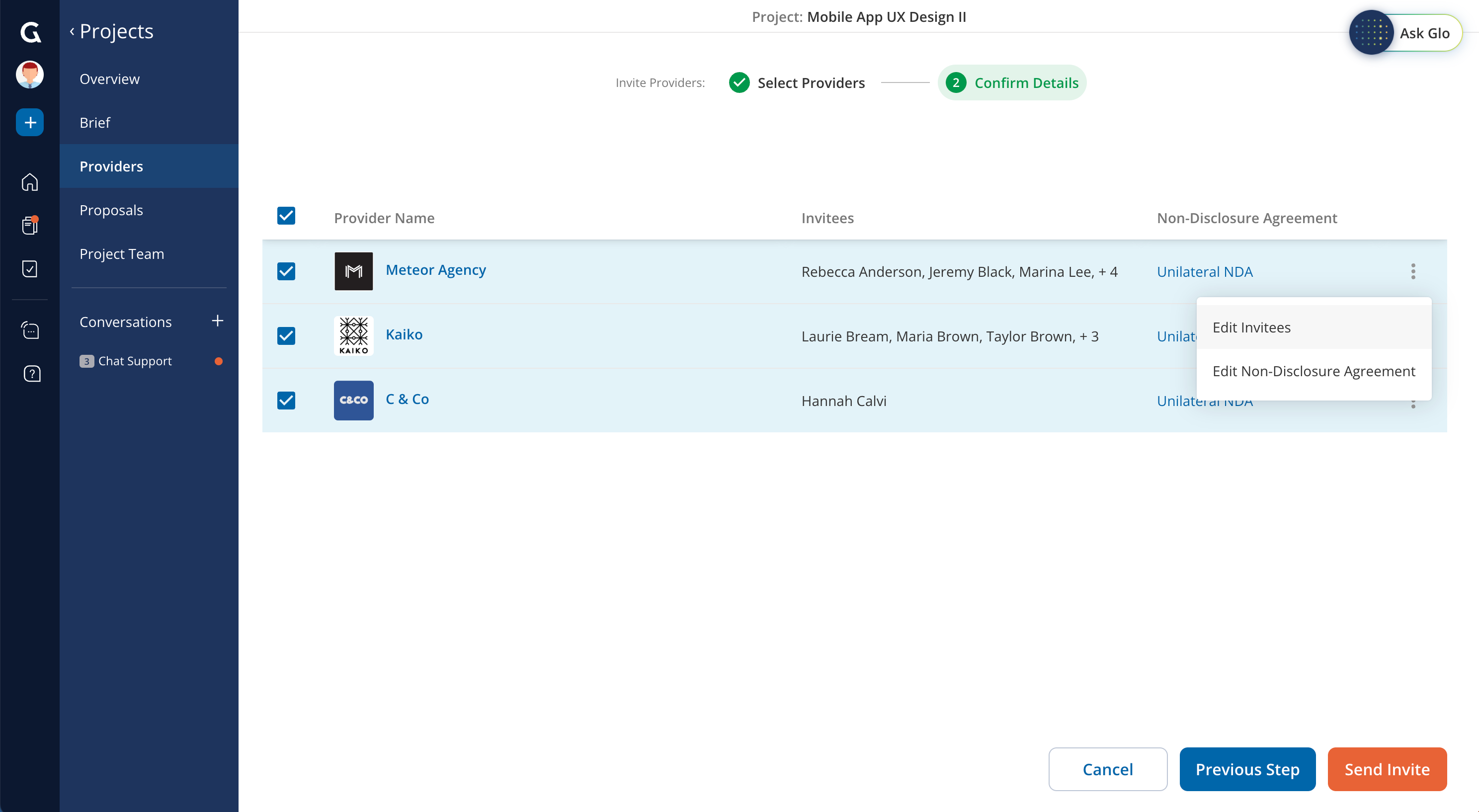
If you do not see the provider contact you want to invite, you can add a new invitee. New contacts are added as Project Specific Users and will receive an email notification inviting them to join Globality.
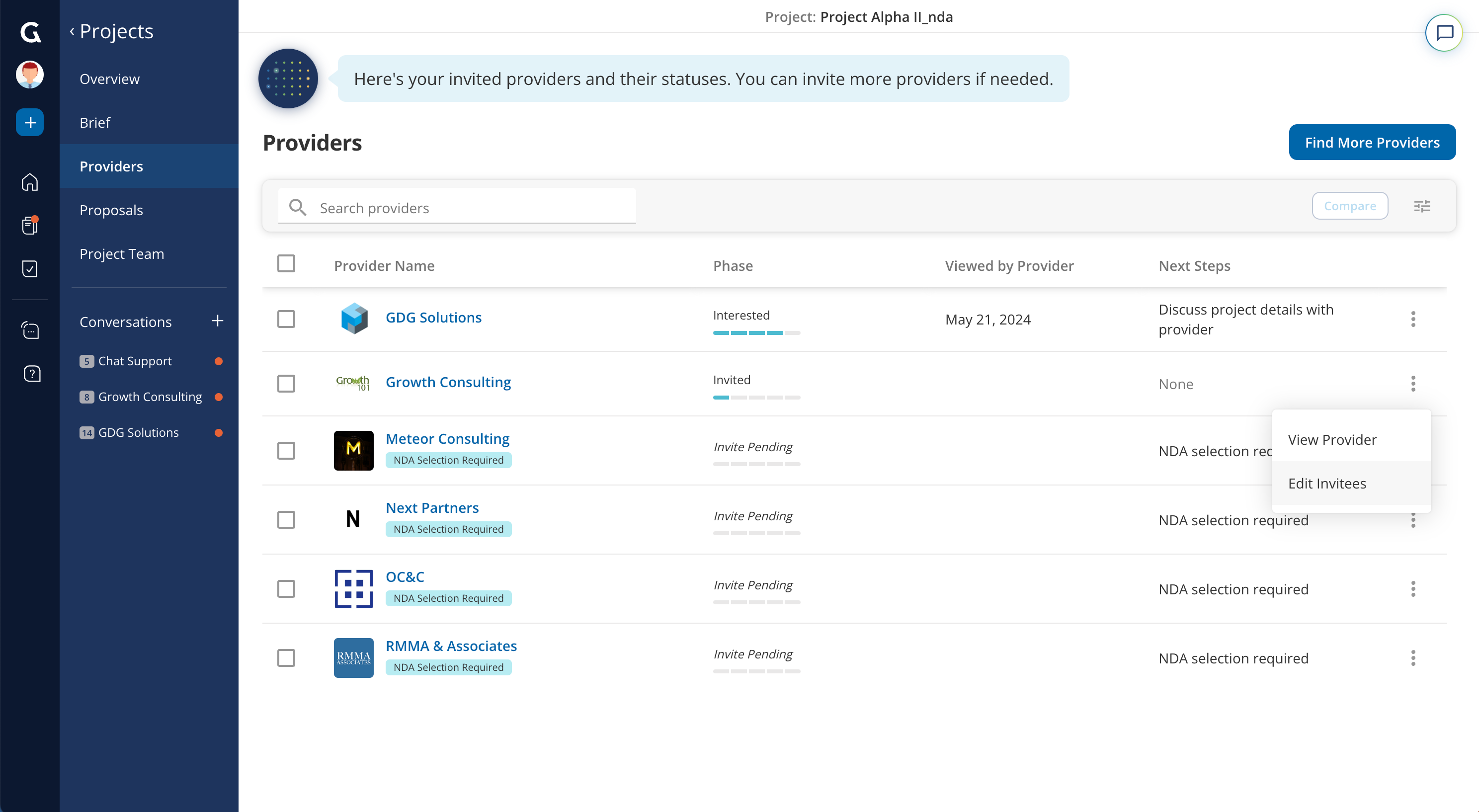
After you have invited providers to your project, you can view and edit the list of invitees by navigating to the respective provider and opening the action menu.
Was this article helpful?
That’s Great!
Thank you for your feedback
Sorry! We couldn't be helpful
Thank you for your feedback
Feedback sent
We appreciate your effort and will try to fix the article