To exclude a provider:
- Navigate to “Providers” from the navigation panel.
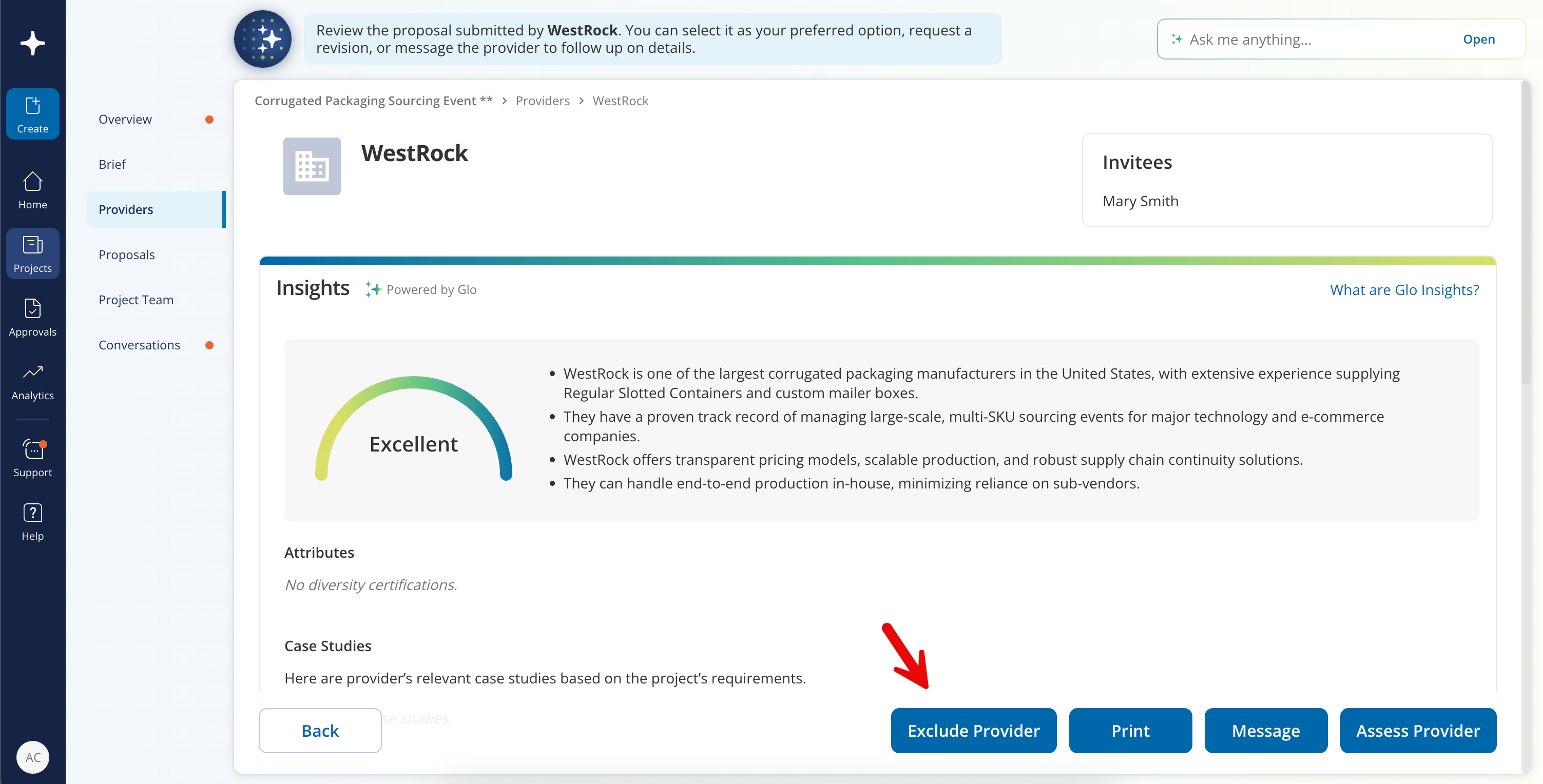
- Click on the provider that you would like to exclude. Once you are in the provider’s overview, click on “Exclude Provider.” You will be prompted to include feedback for the provider about why they are no longer being considered. The provider will receive an email notification with this feedback.
- If circumstances change after you have excluded a provider, you can reconsider the provider by navigating back to that provider's overview page and clicking "Reconsider Provider".
You cannot exclude a provider from consideration after you have approved their proposal.
Was this article helpful?
That’s Great!
Thank you for your feedback
Sorry! We couldn't be helpful
Thank you for your feedback
Feedback sent
We appreciate your effort and will try to fix the article