Project Scope gives you full control over how your requirements are captured. In addition to the questions Glo generates for you, you can add your own custom sections and edit the wording of any Glo-generated question.
Add your own content
You can add a full custom section to Project Scope at any point - you don't need to finish answering Glo's questions first.
To add custom content:
- Open the Project Scope module for your project.
- Scroll to the bottom of the page, or continue through to the end of Q&A, where you'll see the option to Add your own content.
- Select Add your own content.
- Enter a title for your section (up to 50 characters) and write the content in the body field.
- Select Continue to add it to your Project Scope.
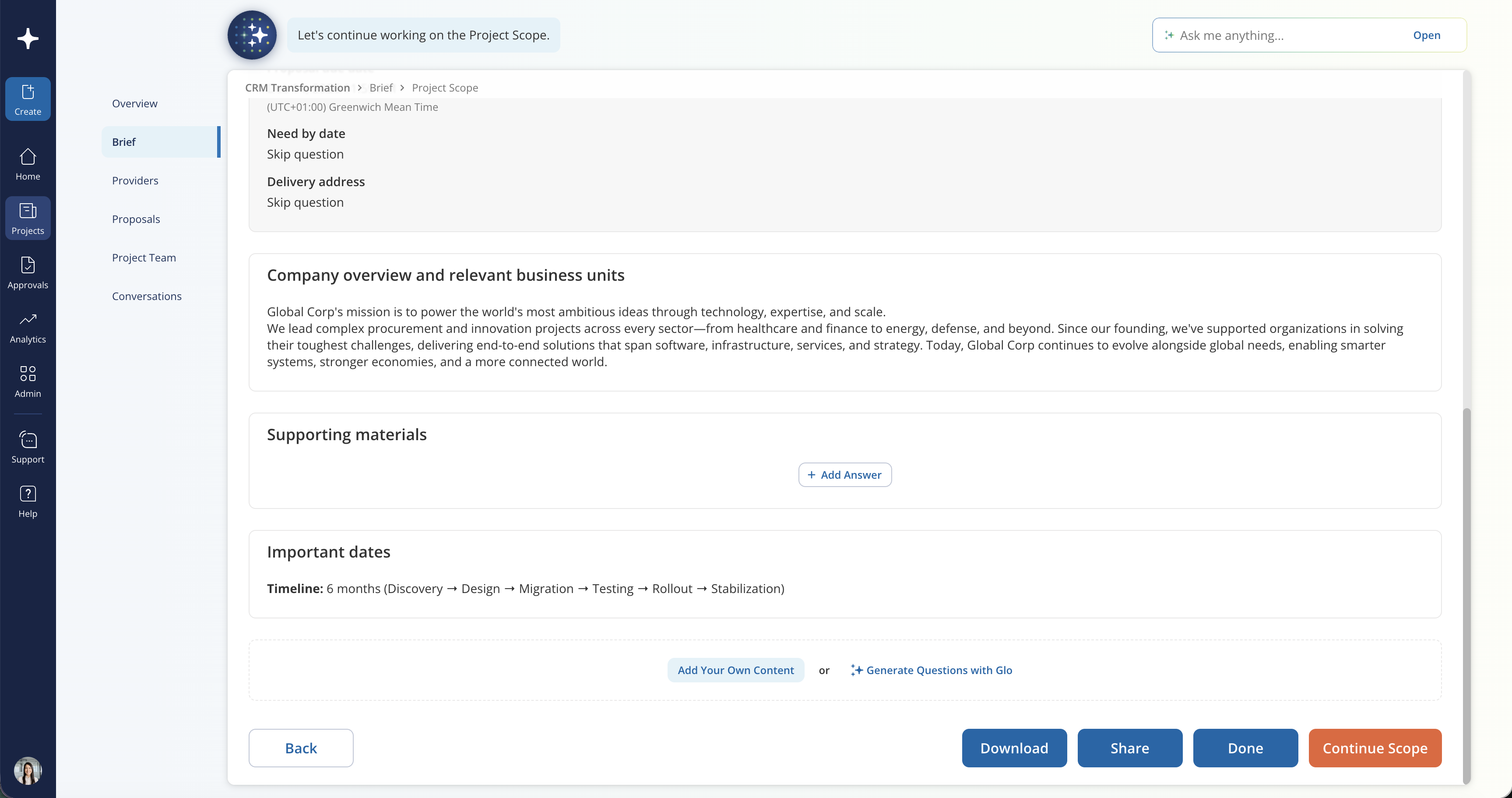
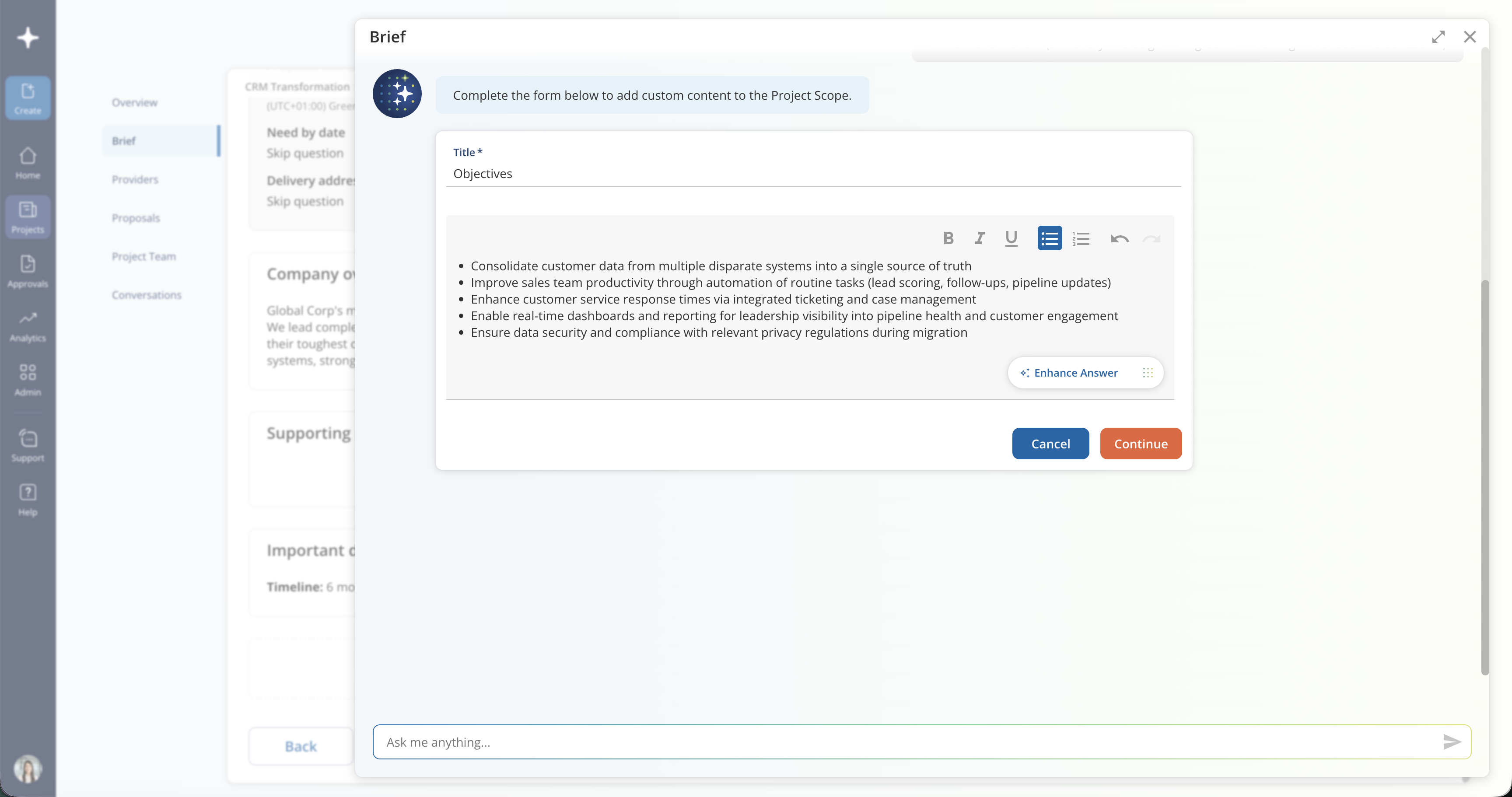
Your custom section will appear in Project Scope alongside Glo's questions, and it will be included when you share your Brief with providers. You can add multiple custom sections - just repeat the steps above for each one.
Edit a question's wording
If a Glo-generated question doesn't quite match how your organization describes something, you can rename the question title. The updated wording will be reflected wherever that question appears.
To edit a question:
- Navigate to the Glo-generated question in Project Scope.
- Select the edit icon next to the question title.
- Update the wording (up to 50 characters) and save your changes.
Was this article helpful?
That’s Great!
Thank you for your feedback
Sorry! We couldn't be helpful
Thank you for your feedback
Feedback sent
We appreciate your effort and will try to fix the article