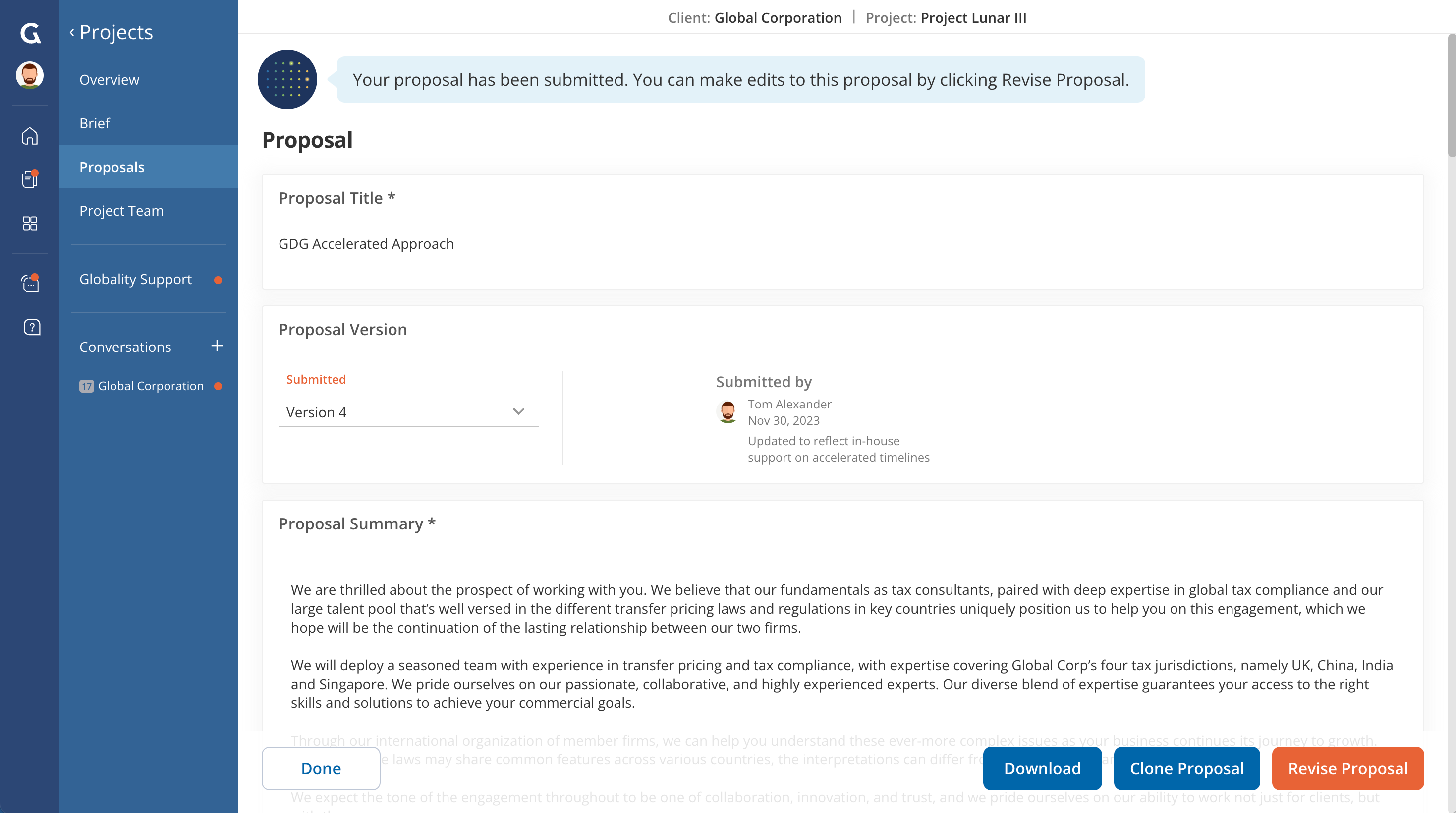
- Navigate to your project.
- Click on the “Proposals” tab on the project menu.
- Open the proposal you’d like to download.
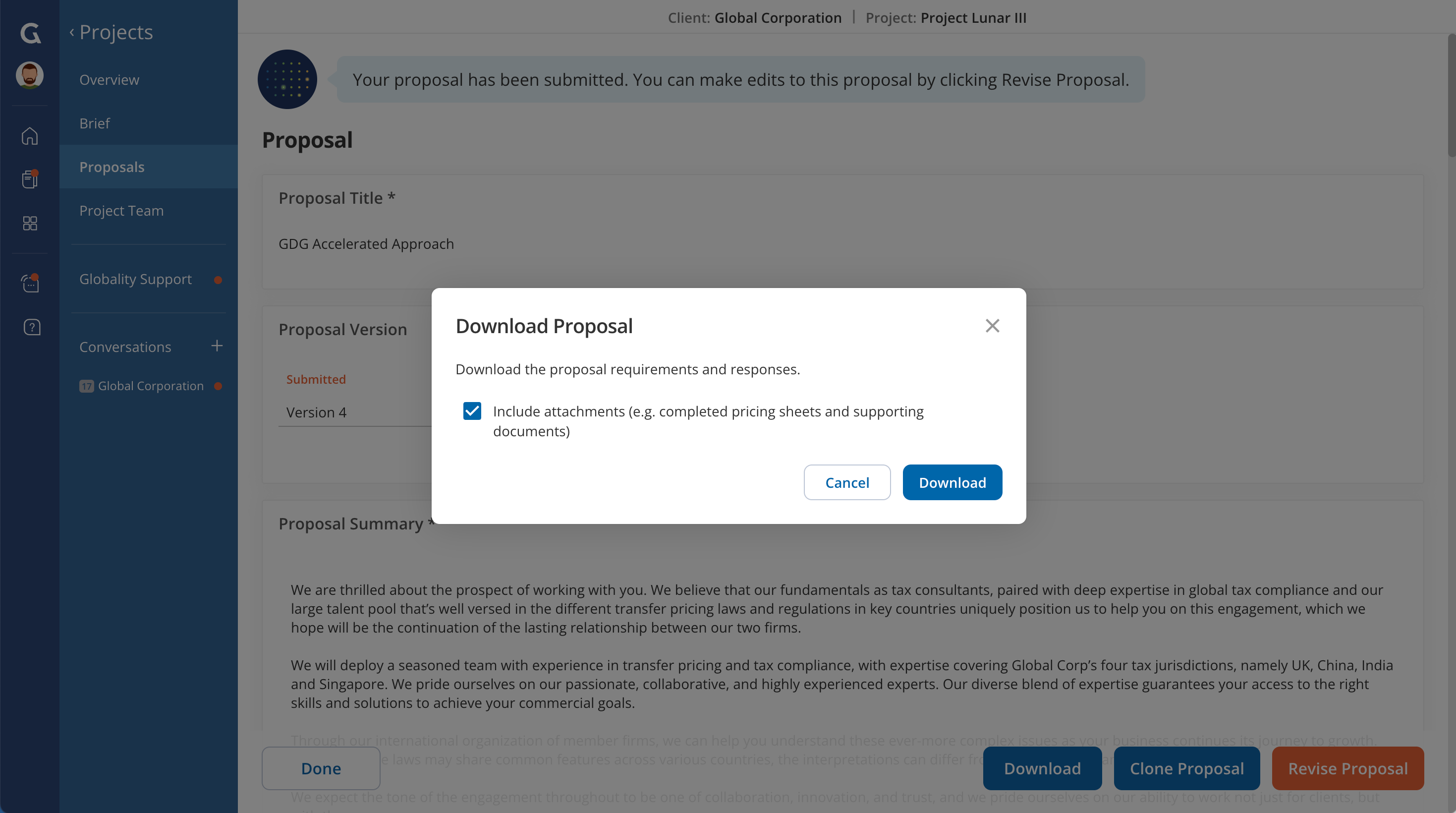
- Click on “Download” at the bottom of the screen.
- Select “Include attachments” to include files from the proposal.
- Click “Download".
- A zip file containing the Proposal Export in CSV format, along with a folder for attachments, will be downloaded to your computer.
Was this article helpful?
That’s Great!
Thank you for your feedback
Sorry! We couldn't be helpful
Thank you for your feedback
Feedback sent
We appreciate your effort and will try to fix the article