Yes, you can copy any project that you are a member of. Projects in any stage can be copied.
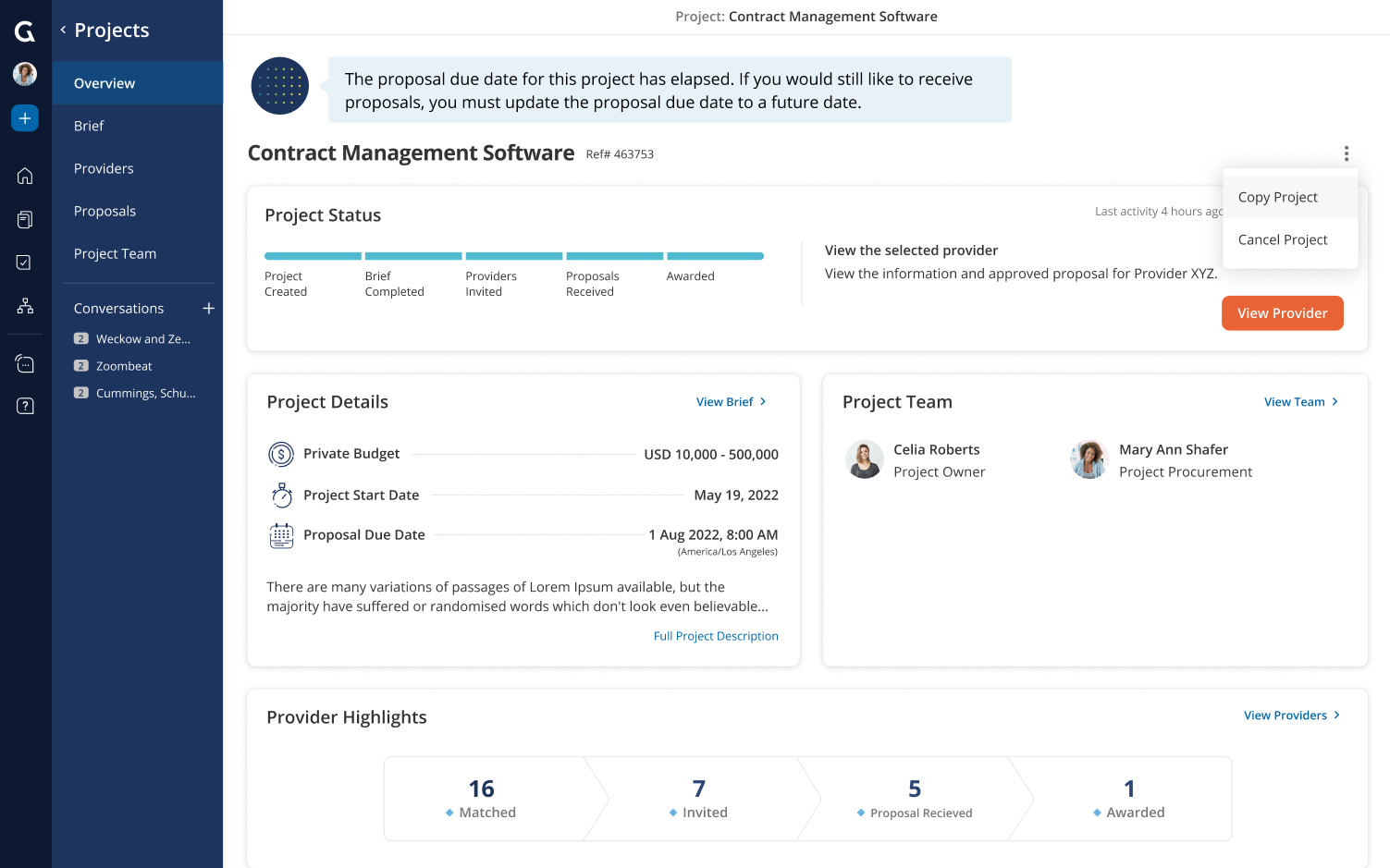
If you have appropriate permissions, you can copy a project from the overview page. Users with the company role “System Administrator”, “Procurement Administrator” and “Standard User” will be able to copy projects.
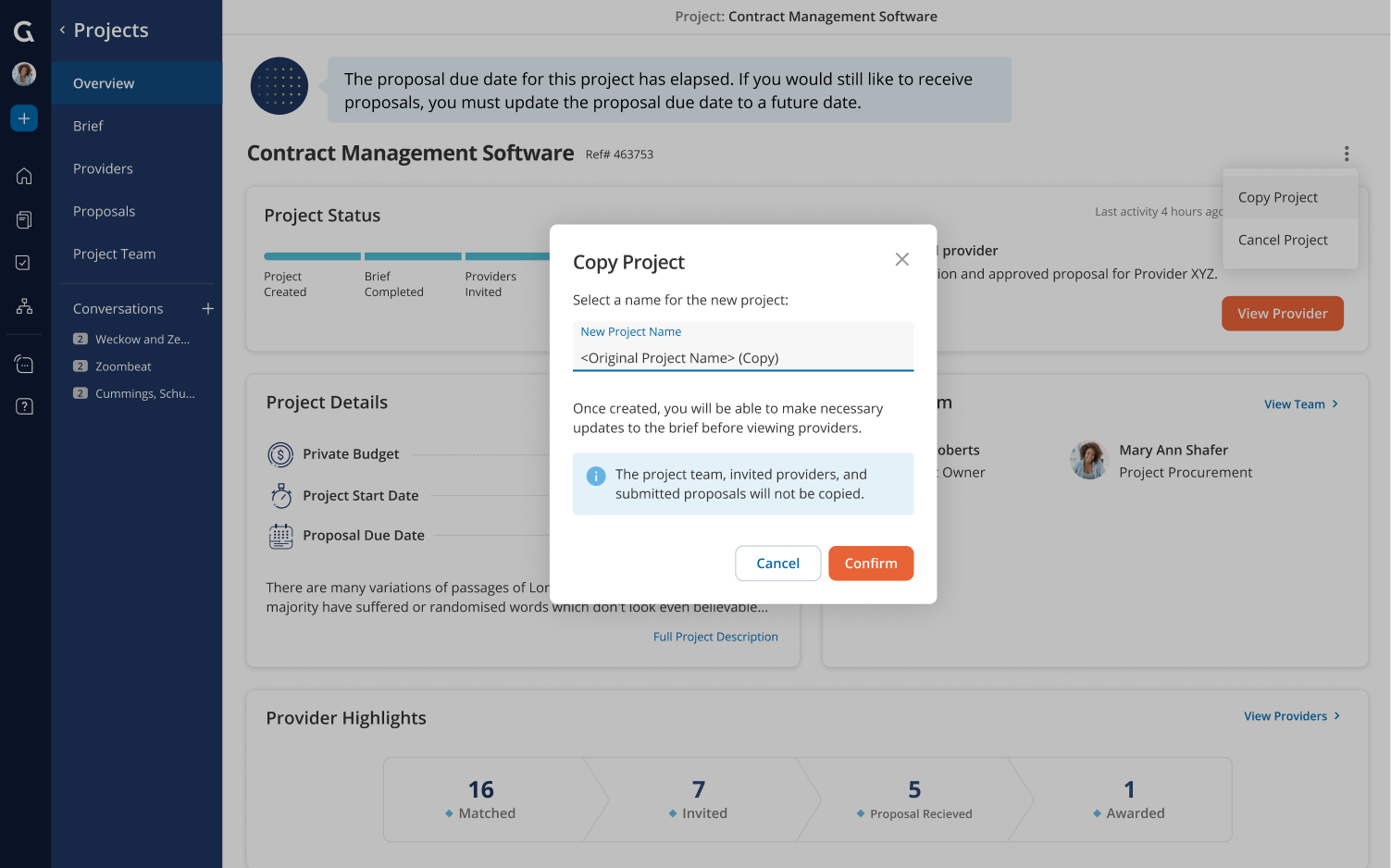
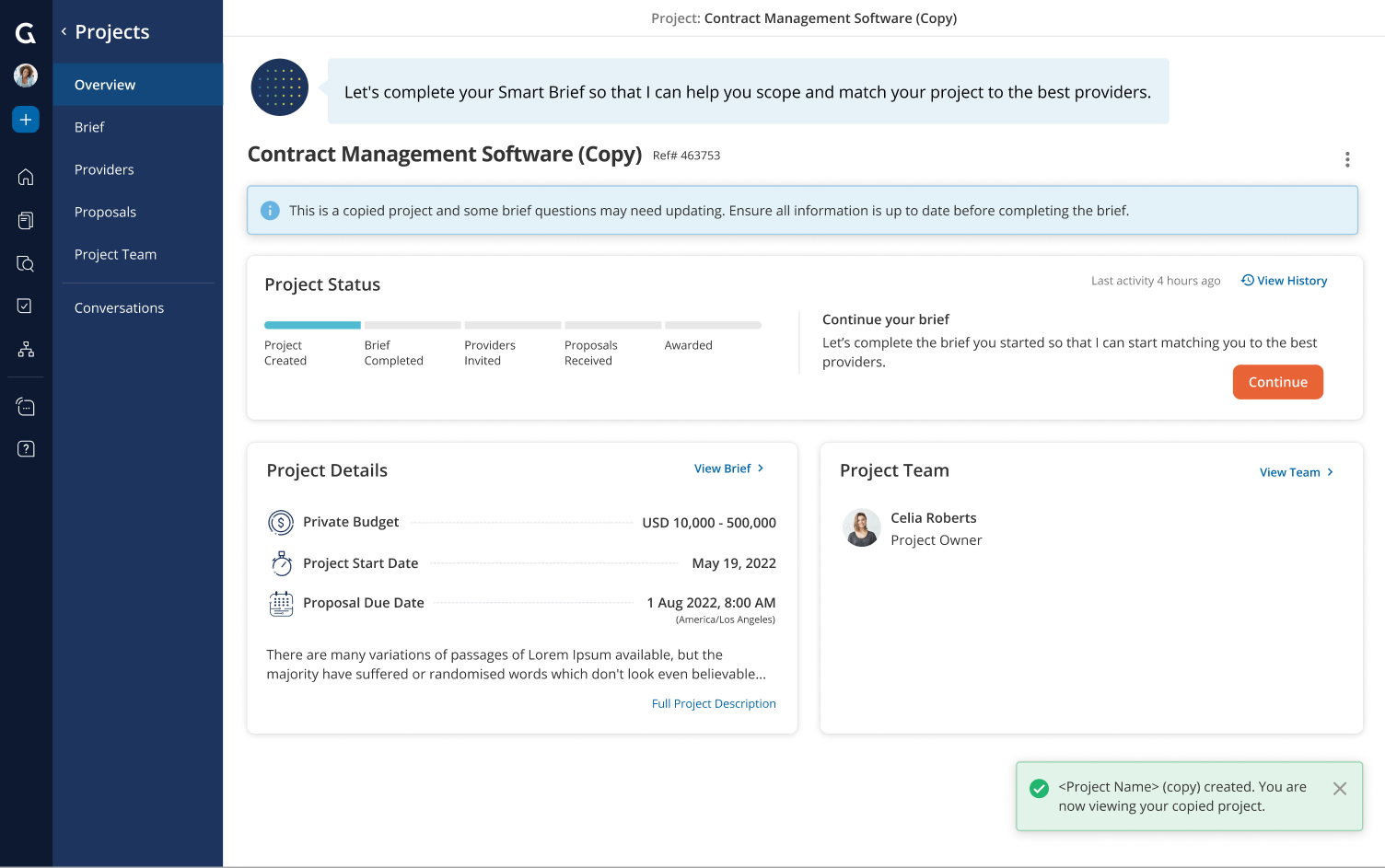
From the dropdown menu, select Copy Project. This will create a new project that only you will be a member of. The contents of the original Brief will be copied, which you will then be able to review and edit. If there are new additional questions that need to be answered, Glo will guide you to answer them before completing your new brief.
Note that your project team and invited providers will not be cloned.
Was this article helpful?
That’s Great!
Thank you for your feedback
Sorry! We couldn't be helpful
Thank you for your feedback
Feedback sent
We appreciate your effort and will try to fix the article