1. After at least one proposal has been submitted, navigate to the project’s proposals page to view proposal analysis insights. Glo automatically generates a default proposal analysis that includes the latest version of all proposals in the project. Proposals that are outdated, from excluded providers, or have a zero total price are not included.
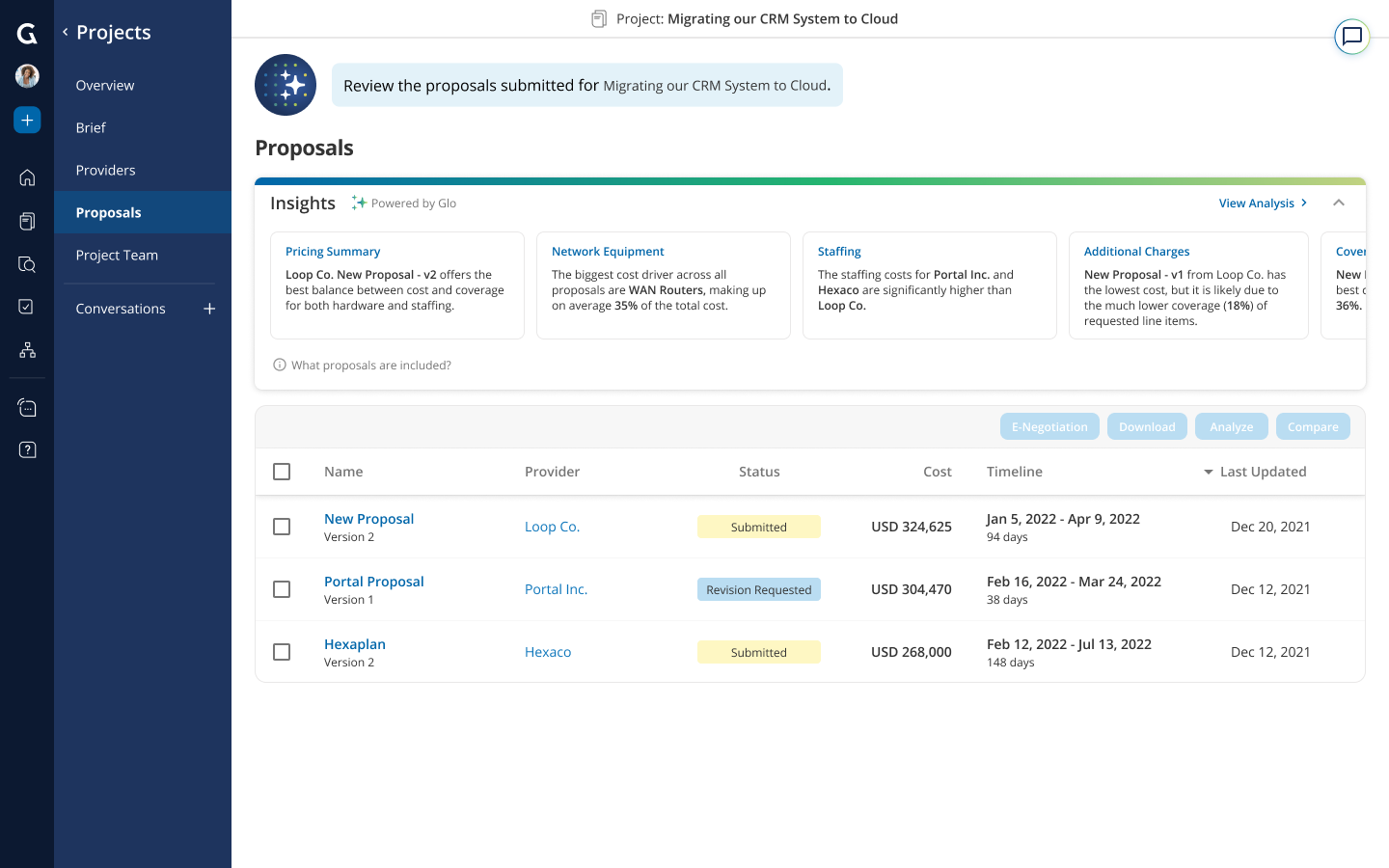
2. Click on “View Analysis” or any of the insights to review the default proposal analysis in detail. You could also generate a custom proposal analysis by selecting the specific proposals and clicking “Analyze”.
3. Scroll to the table that you are interested in and review the descriptive insights along with the supporting data view.
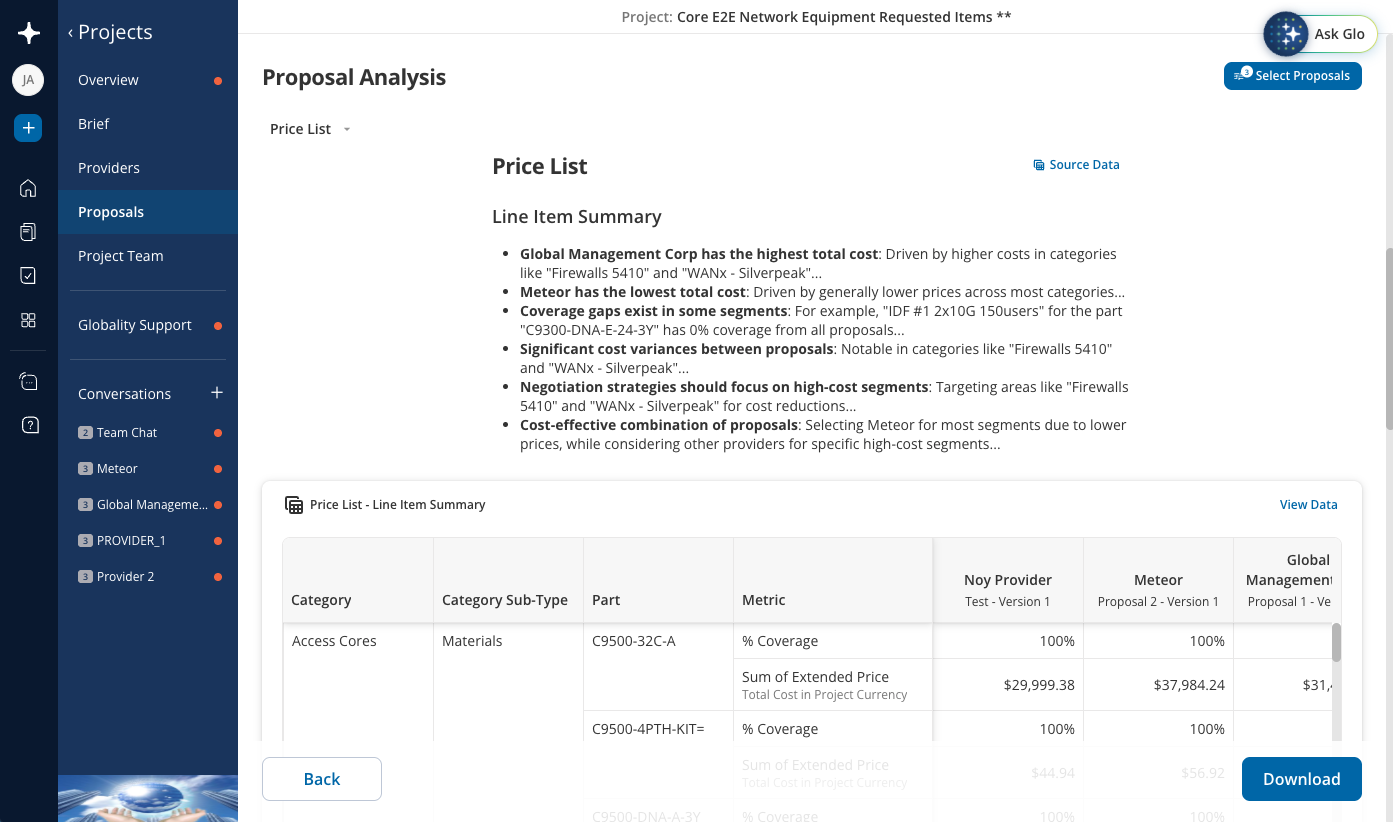
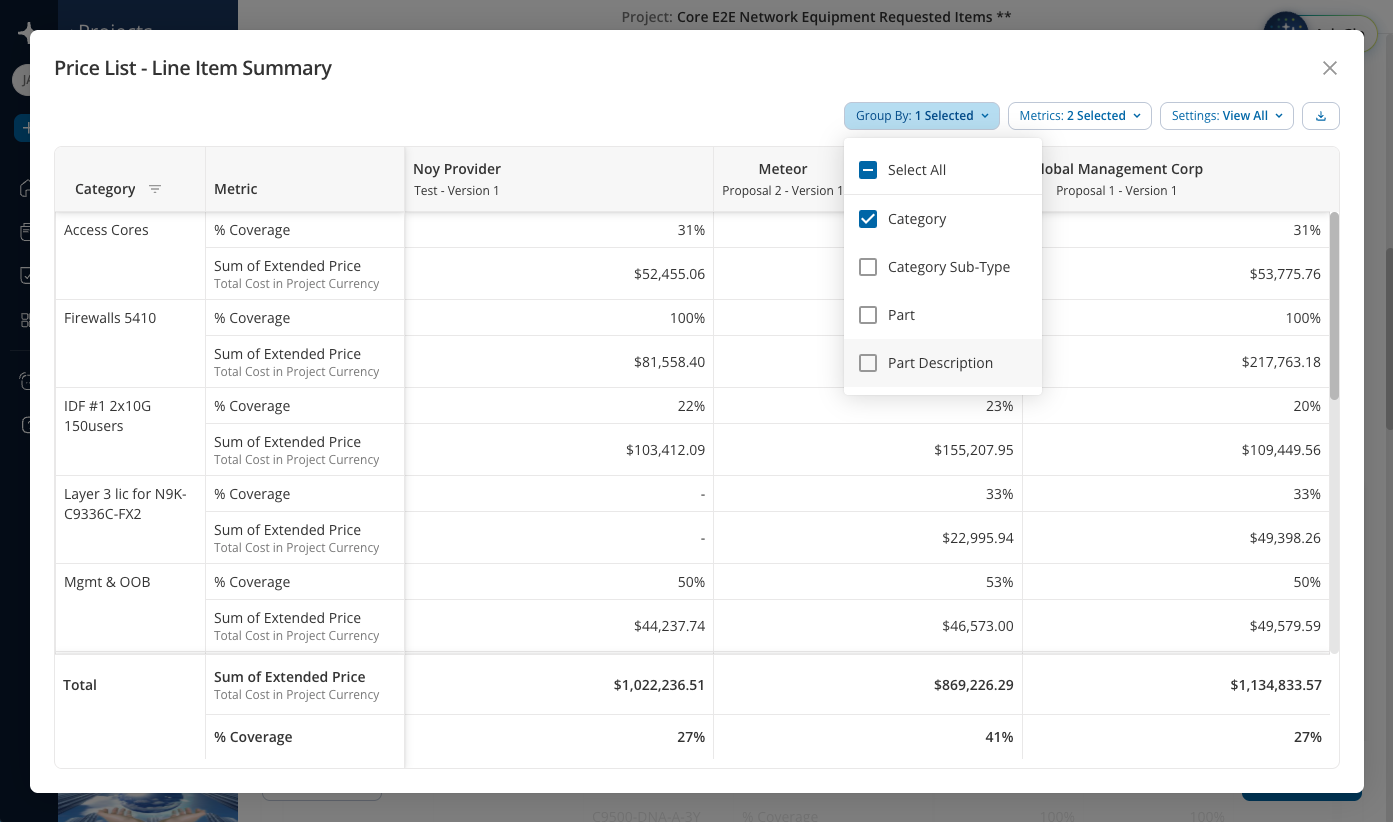
4. Click “View Data” to slice and dice the data view by additional dimensions and metrics. You can also filter, move, or sort the group by columns.
Additional actions:
Click “Source Data” to review the raw data extracted from the pricing sheets submitted by the providers.
Click “Download” to download the proposal analysis as an Excel file.
Click “Select Proposals” to change the proposals included in the proposal analysis. You can change the sort order of the proposals, select previous proposal versions, and select specific proposals to include in the analysis.
Analysis types supported:
Pricing summary analysis evaluates total proposal prices and comparison to project budget.
Line item summary analysis creates a pivot table and identifies cost drivers.
Line item detail evaluates provider responses to requested line items.
Staffing analysis breaks down staffing costs and resource allocation.
Adjustment analysis evaluates provider adjustments to requested line item quantity and pricing.
Was this article helpful?
That’s Great!
Thank you for your feedback
Sorry! We couldn't be helpful
Thank you for your feedback
Feedback sent
We appreciate your effort and will try to fix the article